OpenAI
Overview
OpenAI
Obtaining the API Key
In order to communicate with an LLM using Griptape, we'll need a key. To do this, we'll grab an API key from OpenAI.
Tip
Griptape can work with many large language models, but to keep things simple for now, we'll just focus on OpenAI's gpt model.
- Go to the OpenAI website and sign up for an account if you don't have one already.
-
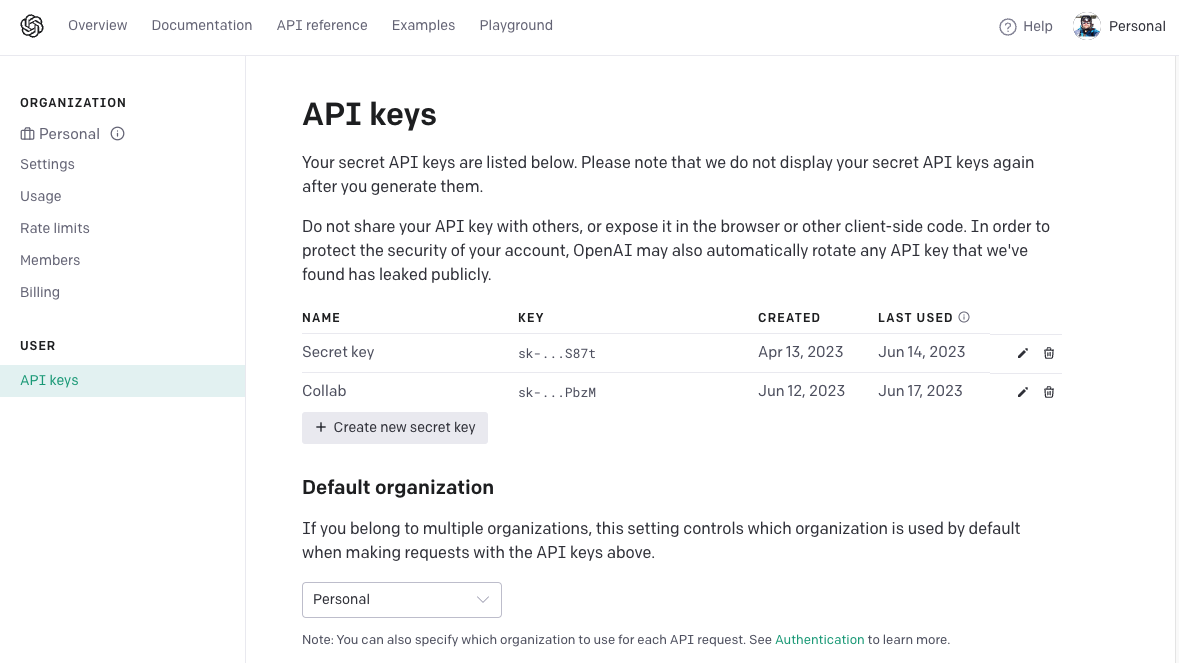
After logging in, navigate to the API Keys section of your dashboard.
-
Choose Create a new secret key in order to create a key for your use.
-
Give your key a name. Example:
griptape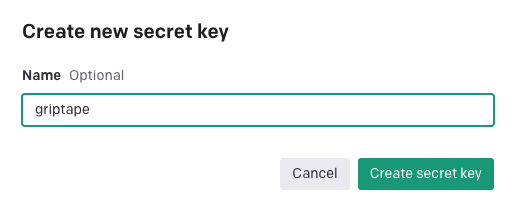
-
Choose Create secret key
-
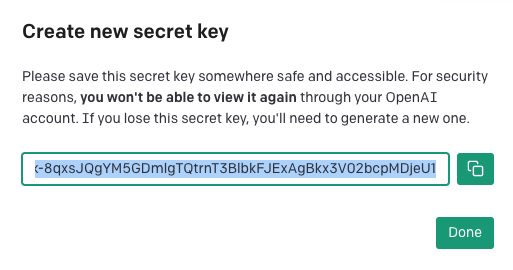
You will see a window with your new key highlighted. You will not be able to view this key again so it's very important to copy the key and save it somewhere safe.
-
Choose Done
Warning
Remember, this API key is like your secret key to the city of LLMs. Don't share it with anyone!
Installing python-dotenv
Understanding and using environment variables is a key aspect of programming. In order to use the API key we just received, we will need to be able to access it from with our python script. We'll use a package called python-dotenv to handle environment variables in our project.
In the terminal, run the command pip install python-dotenv to install the package.
Info
You can learn more about pip and python-dotenv by visiting their PyPi page: https://pypi.org/project/python-dotenv/.

Creating the .env File and Setting the OpenAI API Key
Now that we have our OpenAI API key, we need to make it available for our Python code to use. The best and safest way to do this is using a .env file, which allows us to define environment variables. We can then use the load_dotenv library to access any of those environment variables..
- In the root of your project folder (
griptape-starter), create a new file and name it.env. - Open the
.envfile and writeOPENAI_API_KEY=your_openai_api_key_here, replacingyour_openai_api_key_herewith your actual OpenAI API key. - Save the file.
Your first app
Creating app.py
Now we're going to create our Python file and use the python-dotenv library to load the OPENAI_API_KEY environment variable.
First things first, let's create a Python file where we will write our code.
- In your project directory (
griptape-starter), create a new file calledapp.py. You can do this in VS Code by clickingFile -> New File - Save the file by choosing
File -> Save As... - Entering
app.pyas the filename.
Success
Nice, you've created your first Python file!
Importing the Library
Next, we're going to import the load_dotenv function from the dotenv library we installed earlier.
Enter the following code in app.py.
| app.py | |
|---|---|
Loading the variables
Now we'll use the load_dotenv function. Update your app.py with the highlighted line:
If you save and run your script, you shouldn't get any errors in your Terminal. If you received no errors.. you win! You've loaded your environment variable that was specified in the .env file!
Next Steps
Congratulations! Your environment is set, and your application is ready. You're ready to start using Griptape! In the next section, we'll install Griptape and send our first message to the LLM. I wonder what it'll say...